

Publishing more content isn't the best answer to “how to improve my SEO.” If Google can't retrieve your priority pages, another article just adds to the backlog. If you're targeting a comparison query with a sales page, better loading speed won't fix the mismatch.
I would start with a per-URL blocker list, not a sitewide list of tactics. Give each important URL a blocking stage, an owner, and a next action. Then spend your effort on the earliest unresolved dependency.
Spis treści
- Where to Start and Run the 30-Day Order
- Audit Crawling and Indexing Before Anything Else
- Fix Core Web Vitals One Template at a Time
- Map Keywords to Pages and Rewrite for Intent
- Make Pages Answer Queries and Stay Accessible
- Earn Links From Domains Already Linking to Peers
- Measure Clicks, Impressions and AI Citations
Where to Start and Run the 30-Day Order
Each stage removes a blocker the next stage relies on. A rewritten page Google can't request earns nothing from that rewrite, while a fast template targeting the wrong query still leaves you without a relevant landing page.
Keep the initial scope to 20 to 50 URLs already earning impressions or revenue. That's a working limit, not a ranking threshold. Starting with keyword volume creates the wrong priority list: even a hypothetical term with 5,000 monthly searches offers little practical value if you can't compete for its intent.
SEO improvement stages, what each answers, and typical lag
| Stage | Question It Answers | Wynik | Typical Lag Before Results |
|---|---|---|---|
| 1. Access and indexing | Can Google request and index this URL? | List of blocked, noindexed, orphaned or redirected URLs | Days, after recrawl |
| 2. Page speed by template | Do key templates pass Core Web Vitals at the 75th percentile? | Pass or fail per template and device | Weeks, as field data updates |
| 3. Keyword-to-page mapping | Which single URL should own each query cluster? | One primary URL per cluster | Weeks to months |
| 4. On-page relevance | Does the page answer the query better than current top results? | Revised titles, headings and sections | Days to weeks for title changes |
| 5. Link acquisition | Which domains link to competitors but not to me? | Outreach list ranked by topical fit | Months |
| 6. Measurement | Are impressions, clicks and AI citations moving by URL group? | Dashboard by template and cluster | Continuous, review monthly |
Treat those lags as planning allowances, not delivery promises. For title changes specifically, Google's title-link documentation says recrawling and reprocessing can take a few days to a few weeks. Align the title element, prominent heading, and page content, then judge the result after recrawl rather than the following morning.
Use this timeline to keep implementation in dependency order.
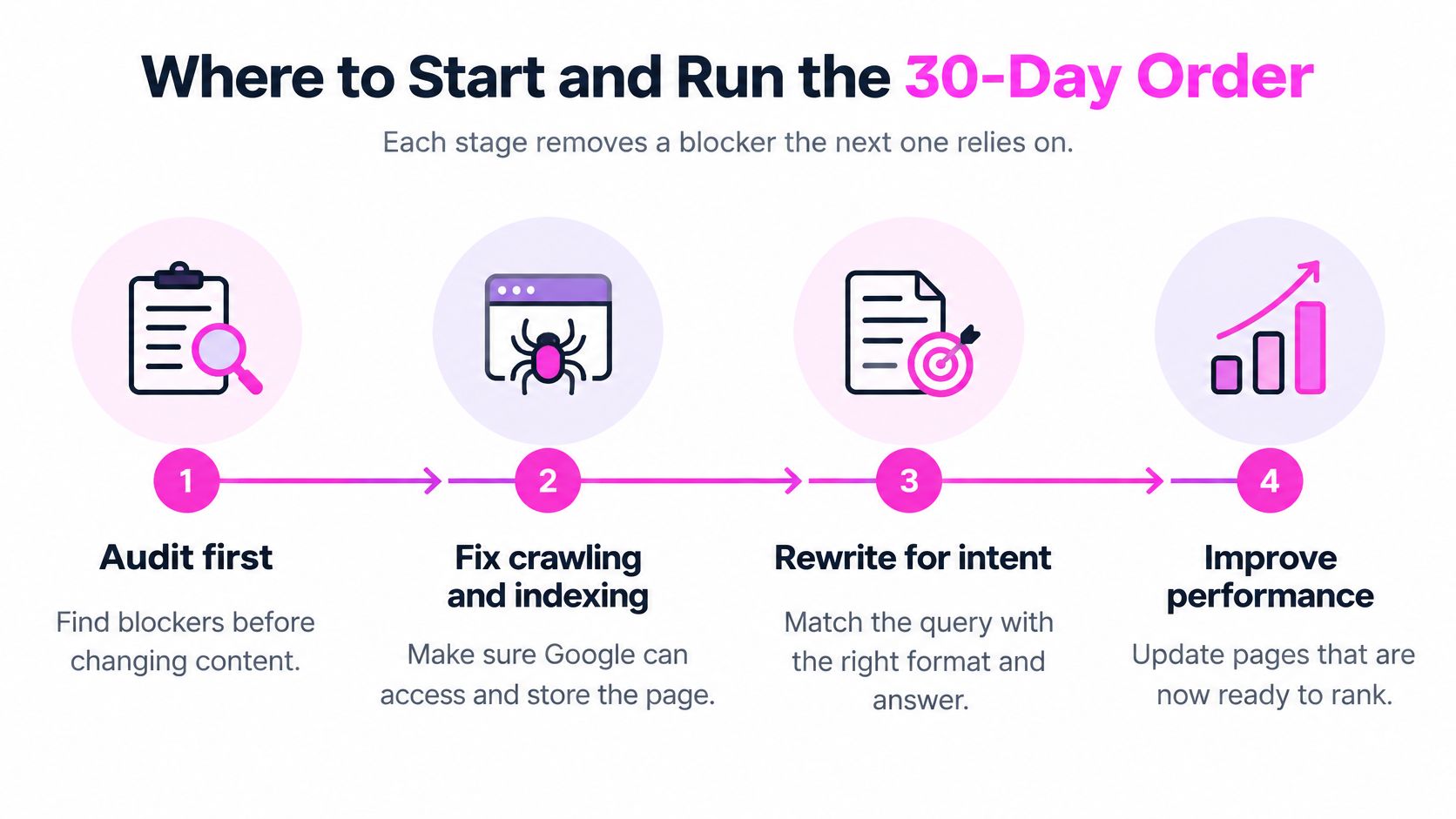
Commit to a bounded month
- Week 1: Run access and indexing checks on your top 20 URLs. Fix unintended exclusions before commissioning rewrites.
- Week 2: Group those URLs by template and inspect real-user performance separately for mobile and desktop.
- Week 3: Assign query clusters to owner URLs. Record every title, heading, consolidation, and deployment date.
- Week 4: Finalize comparison baselines for impressions, clicks, CTR, and indexed pages, using a pre-change period. Pick your first outreach targets.
For a complementary planning resource, use Carlos Alba Media's guide to build stronger Google visibility alongside your URL-level task list, not instead of it.
If you need implementation support, our SEO Academy offers video tutorials on SEO strategies and using SemDash tools, and our community lets SEO professionals get answers to their questions. We don't guarantee specific search rankings, traffic increases, or financial outcomes, so set measurable targets rather than promised positions.
Tomorrow's action: list your top 20 URLs, mark the blocking stage for each, and open the indexing report with not-indexed reasons ordered by URL count.
Audit Crawling and Indexing Before Anything Else
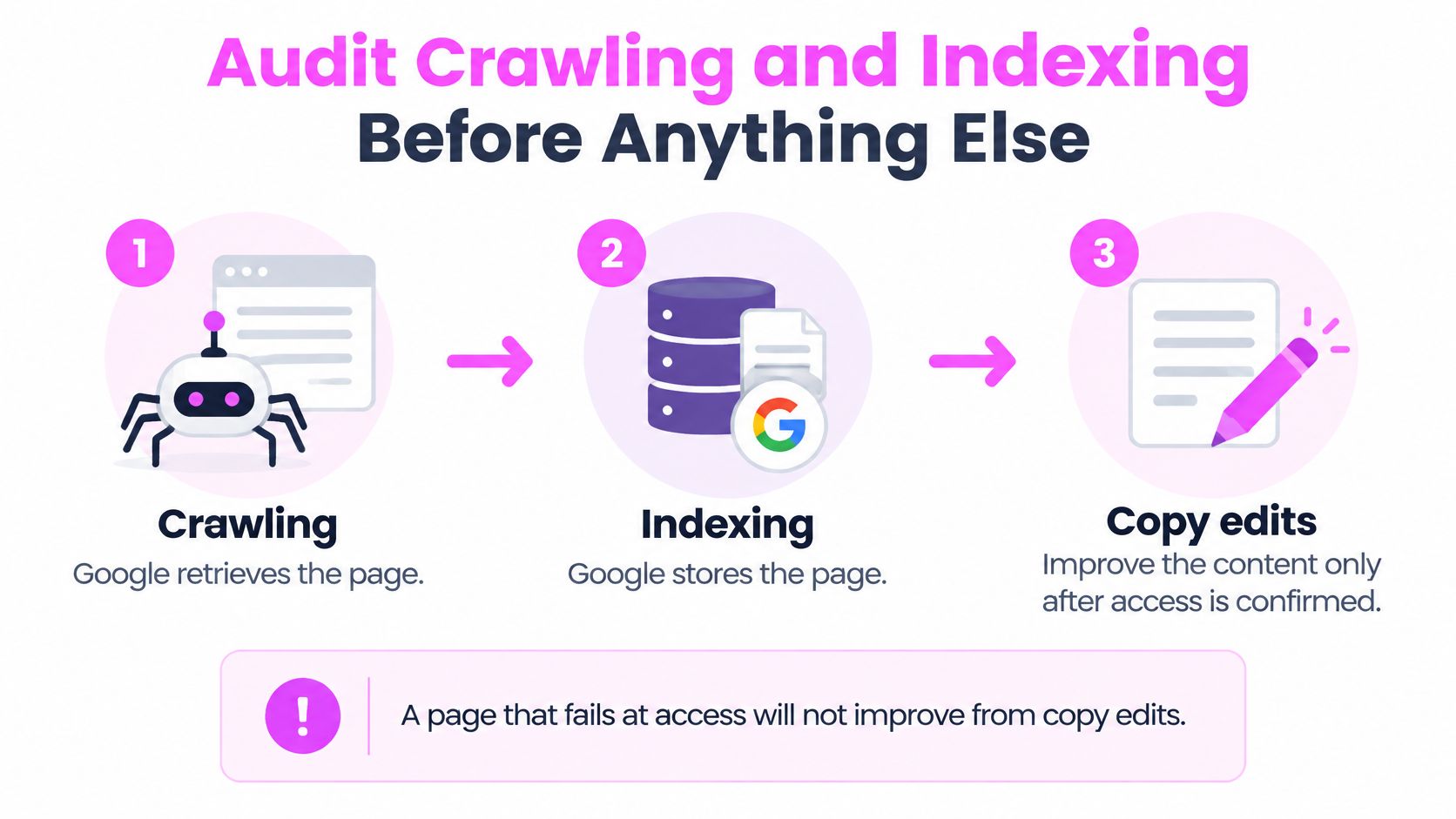
Separate the checks: crawling retrieves a page, indexing stores its information, and ranking selects a relevant result. Google's explanation of how Search works describes these distinct stages and makes clear that technical eligibility doesn't guarantee inclusion or rankings.
Don't classify every absent page as a content problem. An intentional exclusion, a redirect, and an inaccessible page require different actions.
The implementation order should look like this.
Run the access checks
Start with exclusion reasons. Open Search Console's page indexing report and order the not-indexed reasons by URL count, exporting if necessary. Check the largest group against your priority list, because a large set of intentionally excluded filters may matter less than an excluded service page.
Inspect the response and destination. Check the HTTP status, follow redirects to the final URL, and inspect robots.txt. If an old product URL redirects to an unrelated category, record the destination mismatch rather than marking the redirect as automatically resolved.
Read the indexing signals together. Check HTML and HTTP-level noindex directives, the declared canonical, and Google's selected canonical where available. Don't block a noindexed URL in robots.txt when Google needs to retrieve it to see the directive, and don't remove an intentional noindex just to increase coverage.
Inspect the rendered main content. Use URL Inspection to confirm that the heading, body text, product details, and links appear in Google's rendered HTML. JavaScript isn't automatically a problem, but content that appears only after an interaction or failed request needs investigation.
Find missing and broken pathways. Compare your crawl with the priority URL list to identify orphan pages, then check broken internal links. Add descriptive links from related pages, rather than inserting every target into a sitewide footer.
Clean the sitemap inventory. Keep canonical, indexable URLs returning a successful 200 response, and remove redirects, duplicates, and excluded pages. Google's crawling and indexing guidance treats sitemaps and crawlable links as discovery aids, not substitutes for useful, accessible content.
Record the actual blocker
Your sheet should distinguish can't crawl, excluded, duplicate, a eligible but not indexed. Give each row an intended state, supporting evidence, and a retest action. Otherwise, an exclusion report can turn into a misguided project to index everything.
For a deeper implementation checklist, use our guide on getting Google to index your site. If you're prioritizing legal-service pages, pair that technical work with the client acquisition insights from SimpleLab Digital to keep commercially useful landing pages in scope.
Praktyczna zasada: Don't approve a copy-only fix until you've confirmed that the intended URL is accessible and eligible for indexing.
Weeks spent rewriting a page Google never indexed can produce a polished page without resolving the reason it doesn't appear.
Fix Core Web Vitals One Template at a Time
A sitewide average can hide the exact experience you need to repair. Your product template might pass despite a heavy header, while your JavaScript-heavy checkout responds poorly to taps. Combining them doesn't tell your developer what to change.
Użyj real-user performance by template and device. The Core Web Vitals threshold documentation sets the pass reference at the 75th percentile of page loads, with the following good and poor boundaries.
Core Web Vitals thresholds and first fixes
| Metryka | Co mierzy | Good (75th Percentile) | Poor (Above) | First Fix |
|---|---|---|---|---|
| Largest Contentful Paint (LCP) | Loading of the largest above-the-fold element | 2.5 seconds or less | 4 seconds | Prioritize and size the hero asset, cut render-blocking requests |
| Interaction to Next Paint (INP) | Responsiveness to clicks and taps | 200 milliseconds or less | 500 milliseconds | Reduce main-thread JavaScript and split long tasks |
| Cumulative Layout Shift (CLS) | Visual stability while the page loads | 0.1 or less | 0.25 | Reserve dimensions for images, embeds and ad slots |
Diagnose the template, not the score
Group your URLs into home, category, product, article, and checkout templates. Inspect mobile and desktop separately, then identify the failing metric on the highest-priority affected template. Don't assume every URL using a shared stylesheet has the same loading or interaction behavior.
Dla LCP, identify the actual largest element before optimizing it. If it's the hero image, make that resource discoverable early, avoid lazy-loading it, and stop delivering an unnecessarily large file. Compressing unrelated thumbnails won't address the main bottleneck.
Dla INP, reproduce the slow interaction and inspect main-thread work. Split long JavaScript tasks, defer nonessential scripts, and examine expensive interface updates. Removing a useful feature isn't the first choice when you can reduce its execution cost.
Dla CLS, reserve space before images, embeds, and ads arrive. Also inspect banners and dynamically inserted interface elements, because specifying image dimensions won't fix a notification that pushes the whole page downward.
Use lab tests to catch regressions. Use field data to judge the experience your visitors actually receive.
Field reporting aggregates visits over a rolling window, so a successful deployment won't instantly replace the old experience in your dashboard. Keep the deployment date beside the affected template, and use repeatable lab tests to verify the mechanism while field reporting catches up.
I would prioritize a template when real-user evidence shows failure, not because an isolated lab score looks disappointing. If field evidence is sparse, investigate reproducible user friction without pretending you've established a field-data pass or fail.
Map Keywords to Pages and Rewrite for Intent
A page can use the right words and still answer the wrong question. Search your target cluster and inspect whether the results favor guides, comparisons, product pages, or lists. Let that evidence shape the page format before you write another paragraph.
Keep the content plan visible while you make those decisions.

Google's technical SEO guidance recommends making important information available in text and using structured data to clarify content where appropriate. I would translate that into one primary topic and one clear search task per page, rather than a keyword insertion checklist.
Work through a comparison query
Say your article sits near page two for “best CRM for startups,” while the leading results provide comparison tables. Your page needs decision support, not an extended introduction about why customer relationships matter.
- Cluster by intent. Keep “best CRM for startups” separate from “CRM pricing” when the results show different tasks. Shared vocabulary alone isn't enough to justify a shared landing page.
- Assign an owner. Choose the URL that should serve the comparison cluster and list existing pages competing for that same task.
- Consolidate selectively. Merge overlapping material into the owner, then use permanent 301 redirects from retired URLs. Don't redirect a useful pricing resource merely because it mentions the same products.
- Align the promise. Make the title tag, H1, and opening clearly describe the comparison. They should agree without mechanically repeating identical wording.
- Make the evidence readable. Add a text-based table covering selection criteria, limitations, and suitable use cases. Write descriptive alternatives for meaningful images and keep heading levels logical.
- Use accurate structured data. Mark up only what the page visibly supports. Schema isn't a workaround for missing evidence or a mismatched format.
Use the walkthrough below alongside your page map, then record your implementation choices in the change log.
Preserve useful coverage during consolidation
Before retiring a URL, export its queries and identify sections that satisfy distinct needs. Move relevant explanations into the owner where they still fit, and leave genuinely different intent on a separate page.
The tradeoff is real: consolidation can simplify ownership while removing useful long-tail coverage. I would merge because the pages serve the same task, not because a tool flags repeated keywords.
Make Pages Answer Queries and Stay Accessible
In a 2025 panel study of 900 U.S. adults, 18% of Google searches generated an AI Overview, according to the panel study. A separate 2024 Botify and DemandSphere study of more than 120,000 keywords across 22 websites found that 75% of websites cited in AI Overviews ranked within Google's top 12 organic results, as reported by Search Engine Journal.
Those findings don't establish a shortcut to inclusion. Google's AI features guidance says you don't need special markup or files for AI Overviews or AI Mode. You need crawlable, indexed pages eligible for ordinary search snippets, supported by helpful, reliable content.
Answer first, then show your reasoning
I would put a direct answer of one to three sentences beneath a query-matched heading, followed by the conditions, evidence, and worked example. That's an editorial pattern, not an AI ranking requirement.
For “Should a startup choose a CRM by price?”, answer the decision directly: compare the required workflow and total usable package, not just the advertised entry price. Then explain the relevant limits and how to evaluate them. Don't make the short answer more absolute than the supporting detail.
Prioritize accessibility without promising a lift
Accessibility evidence needs a clear caveat: correlation isn't causation. An AccessibilityChecker.org analysis announced in 2025 examined 10,000 websites and associated higher accessibility-compliance scores with 23% higher organic traffic and rankings for 27% more organic keywords.
Use that as a reason to investigate overlapping improvements, not forecast equivalent growth.
- Clarify structure: Use semantic HTML and headings that describe the task.
- Provide equivalent information: Add meaningful image alternatives and visible labels.
- Remove interaction barriers: Test keyboard navigation, focus visibility, and form errors.
- Validate the outcome: Compare affected templates by device, query group, and conversion behavior.
Treat accessibility as a compound optimization layer with independent user value. Fit template improvements into planned development work, but don't let an accessibility backlog postpone an unresolved access blocker.
Earn Links From Domains Already Linking to Peers
Start with evidence of topical interest, not a giant prospect database. A domain already referencing competing resources is worth investigating because you can inspect the context and decide whether your page belongs there.
Google's SEO Starter Guide explains that Google primarily discovers new pages through links from pages it has already crawled. That's a reason to maintain useful internal pathways and earn relevant references, not permission to manufacture backlinks.
Filter before you pitch
- Choose the comparison set. Pull referring domains for the top three competing pages serving your target cluster. Use page-level competitors rather than the largest companies in your industry.
- Find repeated relevance. Keep domains linking to at least two of those pages but not to yours. Treat this as a prospecting filter, not proof that a link is obtainable.
- Read the linking page. Identify whether you're looking at a resource list, tutorial reference, roundup, or news mention. A historical news citation might offer no realistic placement opportunity.
- Define your contribution. Pitch a tested template, original dataset, or worked example that improves that specific page. If your only argument is that you've published something similar, improve the resource before contacting anyone.
- Prepare the destination. Add descriptive internal links from relevant, established pages to your target. Confirm that the destination is useful, current, and ready for the audience you're asking someone to send.
Our guide to competitor backlink analysis provides a practical framework for turning competitor references into a filtered outreach list.
Reject volume without context
Don't buy links as a substitute for relevance, demand exact-match anchor text everywhere, or pitch domains with no topical connection. A placement that makes little sense to the reader isn't a strong prospect because the domain has attractive metrics.
A useful outreach email explains what improves on the recipient's page, not how much you want a backlink.
For example, if a tutorial links to an obsolete spreadsheet, offer a maintained replacement and explain the relevant improvement. Don't send the same request to every author on the site.
Budget months rather than immediate ranking movement when planning outreach. Evaluate the target cluster's visibility, relevant referring domains, and qualified visits together, rather than attributing a position change to the latest link.
Measure Clicks, Impressions and AI Citations
A 2024 SparkToro and Datos study reported that 58.5% of U.S. Google searches ended without a click to a website, as summarized by Seomator. Clicks remain valuable, but they can't describe every exposure or explain whether your pages attract the right visitors.
Keep the reporting unit consistent with the work: URL group, template, and query cluster. Sitewide totals can conceal a successful product-page change behind declining traffic to an unrelated informational section.
Metrics to track, where to find them and what they tell you
| Metryka | Where to Find It | What a Change Tells You | Działanie |
|---|---|---|---|
| Indexed pages by template | Search Console page indexing report | Coverage gaps or new exclusions | Return to the access audit |
| Impressions and clicks by URL group | Search Console performance report | Visibility versus engagement | Revise titles and snippets if clicks lag |
| CTR by query cluster | Search Console, grouped by cluster | Snippet and intent alignment | Rewrite the H1 and opening section |
| Branded search demand | Search Console query filter | Awareness and recall beyond clicks | Track alongside content launches |
| Conversions from organic landing pages | Analytics, filtered by landing URL | Whether rankings bring the right visitors | Adjust intent or offer on the page |
| AI feature appearances | Search Console performance report | Visibility in AI answers for cited URLs | Compare before and after each content change |
Turn signals into decisions
AI-feature appearances contribute to Search Console's Web performance reporting, but don't treat that aggregate report as a dedicated citation log. Maintain a separate record of observed cited URLs, then compare their query mix, impressions, clicks, and CTR before and after changes. A citation isn't an organic ranking position.
- Impressions rise, clicks stay flat: Inspect query mix and search-result features before rewriting titles. You may be reaching broader queries rather than presenting a weaker snippet.
- Rankings rise, conversions stay flat: Check intent, offer clarity, and the conversion path. Don't assume more traffic will repair an unsuitable landing experience.
- Indexed pages decline: Check whether intended landing pages disappeared or whether you've successfully removed duplicates. Only the former necessarily calls for repair.
For an additional measurement framework, consult Next Point Digital's 2026 SEO guide while defining your report and review cadence.
Keep deployment dates visible beside each comparison. I would change fewer things per URL and preserve a clean record rather than launch simultaneous rewrites, redirects, and template changes that make attribution impossible.
We offer keyword research, competitor analysis, Backlink Gap, clustering, and AI Overview citation tracking to help you turn your blocker list into a focused SEO plan. Visit SemDash (SemDash) to identify the right owner URLs, investigate competing pages, and choose your next content or outreach action.